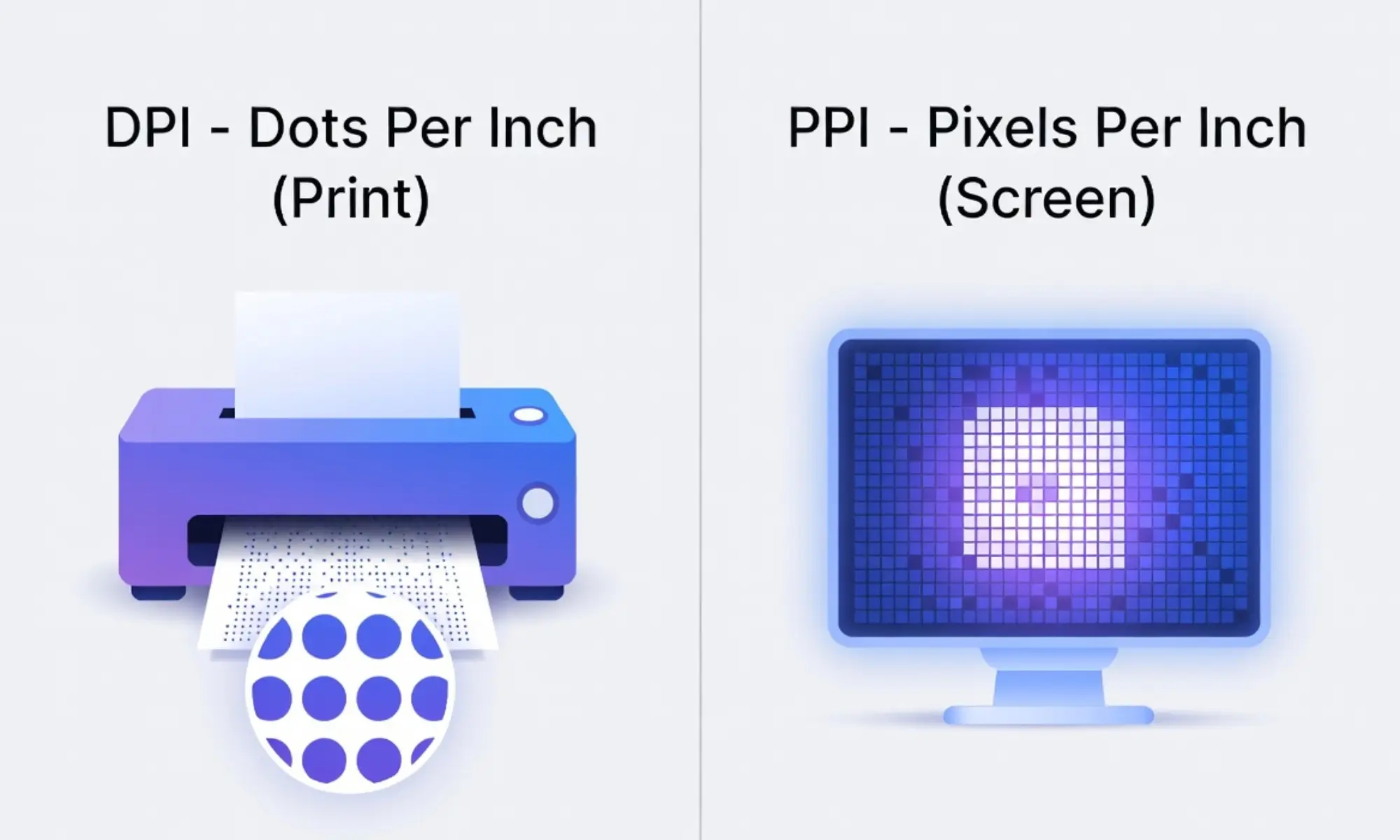
Last week, a friend printed his wedding photo. On his laptop, it looked sharp and bright. But when it came out of the printer, the picture looked blurry. He was confused. The designer asked him about DPI and PPI. That is where the difference between DPI and PPI becomes important.
DPI means dots per inch. PPI means pixels per inch. Both measure image quality, but in different ways. Many people mix them up because they sound similar. The difference between DPI and PPI matters in printing and digital screens.
If you ignore the difference between DPI and PPI, your images may look poor. Understanding the difference between DPI and PPI helps students, designers, and photographers create better results.
Before we go deeper, let us understand how these two terms connect and where they truly differ.
Pronunciation (US & UK)
- DPI
- US: /ˌdiː.piːˈaɪ/
- UK: /ˌdiː.piːˈaɪ/
- US: /ˌdiː.piːˈaɪ/
- PPI
- US: /ˌpiː.piːˈaɪ/
- UK: /ˌpiː.piːˈaɪ/
- US: /ˌpiː.piːˈaɪ/
Key Difference Between the Both
The key difference is simple.
- PPI is used for digital screens.
- DPI is used for printing on paper.
PPI controls how many pixels appear on a screen. DPI controls how many ink dots are printed per inch on paper.
Why Is Their Difference Necessary to Know for Learners and Experts?
Understanding the difference is important in modern society. Today, we live in a digital and print world. Students create presentations. Designers make posters. Companies print brochures.
If a learner knows the difference, they can prepare better projects. Experts need this knowledge to avoid printing mistakes. In advertising, media, education, and photography, correct image resolution saves time and money.
Knowing this difference improves quality and professionalism.
Difference Between DPI and PPI
Below are 10 clear points of difference.
1. Meaning
- DPI: Dots per inch (printing ink dots).
- Example 1: A 300 DPI poster prints clearly.
- Example 2: A 72 DPI image looks poor when printed.
- Example 1: A 300 DPI poster prints clearly.
- PPI: Pixels per inch (digital pixels).
- Example 1: A 300 PPI image looks sharp on screen.
- Example 2: Low PPI makes screen images blurry.
- Example 1: A 300 PPI image looks sharp on screen.
2. Usage Area
- DPI: Used in printers.
- Example 1: Magazine printing uses 300 DPI.
- Example 2: Photo printers use high DPI.
- Example 1: Magazine printing uses 300 DPI.
- PPI: Used in screens and monitors.
- Example 1: Smartphone screens use high PPI.
- Example 2: Laptop displays measure PPI.
- Example 1: Smartphone screens use high PPI.
3. Device Connection
- DPI: Related to printers.
- Example 1: Inkjet printers use DPI settings.
- Example 2: Laser printers adjust DPI.
- Example 1: Inkjet printers use DPI settings.
- PPI: Related to screens.
- Example 1: LED screens measure PPI.
- Example 2: Tablets display images in PPI.
- Example 1: LED screens measure PPI.
4. Output Type
- DPI: Physical output (paper).
- Example 1: Printed banners.
- Example 2: Business cards.
- Example 1: Printed banners.
- PPI: Digital output (screen).
- Example 1: Website images.
- Example 2: Social media posts.
- Example 1: Website images.
5. Image Quality Impact
- DPI affects print sharpness.
- PPI affects screen clarity.
Examples given in print ads and digital ads.
6. Measurement
- DPI counts ink dots.
- PPI counts pixels.
Each has separate technical systems.
7. Conversion
- High PPI images can convert to high DPI prints.
- Low PPI images cannot print well.
8. File Preparation
- Designers adjust PPI before printing.
- Printers adjust DPI during printing.
9. Technical Nature
- DPI uses tiny ink droplets.
- PPI uses digital light pixels.
10. Industry Focus
- Printing industry focuses on DPI.
- Web industry focuses on PPI.
Nature and Behaviour of Both
DPI behaves physically. It depends on ink, paper, and printer quality.
PPI behaves digitally. It depends on screen resolution and display size.
DPI works in the real world. PPI works in the digital world.
Why Are People Confused?
Both use “per inch.” Both affect image quality. Many software tools use the terms loosely. That creates confusion.
Table: Difference and Similarity
| Aspect | DPI | PPI | Similarity |
| Meaning | Dots per inch | Pixels per inch | Both measure resolution |
| Usage | Printing | Screens | Both affect quality |
| Output | Physical | Digital | Both use inch measurement |
| Device | Printer | Monitor | Both relate to images |
| Quality | Print clarity | Screen clarity | Higher number = better quality |
Which Is Better in What Situation?
DPI is better for printing.
When you print photos, books, or brochures, high DPI is necessary. It makes images sharp on paper. Without proper DPI, prints look faded or pixelated. Printers use DPI to control ink placement. For professional printing, 300 DPI is common.
PPI is better for digital screens.
For websites, social media, and mobile apps, PPI matters more. High PPI makes images look smooth and clear on devices. Modern smartphones have very high PPI screens. For online images, 72–150 PPI is often enough.
Metaphors and Similes
- DPI is like a painter placing tiny paint dots carefully.
- PPI is like tiny light bulbs shining on a screen.
- High PPI is as sharp as a crystal-clear mirror.
- Low DPI is like faded newspaper ink.
Connotative Meaning
DPI – Neutral technical term.
- Positive: “High DPI gives professional quality.”
- Negative: “Low DPI ruins the print.”
PPI – Neutral technical term.
- Positive: “High PPI makes screens beautiful.”
- Negative: “Low PPI makes images grainy.”
Idioms or Proverbs (Related to Clarity)
- “The devil is in the details.” (Small dots and pixels matter.)
- “A picture is worth a thousand words.” (Quality matters in images.)
Example: In printing, the devil is in the details, so DPI must be correct.
Works in Literature (Mentioning Printing or Pixels)
- The Gutenberg Galaxy – Marshall McLuhan (Non-fiction, 1962)
- Understanding Media – Marshall McLuhan (Non-fiction, 1964)
Movies Related to Digital or Printing Themes
- The Social Network (2010, USA)
- Jobs (2013, USA)
Five Frequently Asked Questions
Is DPI the same as PPI?
No. DPI is for printing. PPI is for screens.
Can I use 72 DPI for printing?
No. It will look blurry.
What is best for photo printing?
300 DPI is standard.
Does PPI matter for websites?
Yes. It affects screen clarity.
Why do software programs mix them?
Because both relate to resolution.
How Both Are Useful for Surroundings?
DPI helps produce clear books, posters, and newspapers.
PPI improves smartphone screens, TVs, and computers.
Both improve communication in modern society.
Final Words for Both
DPI and PPI are not enemies. They work together. One controls print. The other controls screens. Understanding both improves quality.
Conclusion
The difference between DPI and PPI is simple but important. DPI deals with printing dots. PPI deals with screen pixels.
Many people confuse them because they sound similar. But their use is different. Students, designers, and experts must understand this clearly.
In a digital and printed world, both terms matter. When you know when to use DPI and when to use PPI, you avoid mistakes and improve image quality.