A database administrator once faced a common problem while managing company records. The database table contained thousands of outdated entries.
The administrator needed to remove the data quickly but also wanted to make sure the structure of the table stayed intact.
At this moment, the difference between truncate and delete became very important. In database management systems like MySQL or Oracle Database, both commands remove data, but they behave differently.
Understanding the difference between truncate and delete helps developers and database learners choose the correct command for managing data efficiently.
The difference between truncate and delete is mainly related to speed, transaction handling, and data recovery. When professionals understand the difference between truncate and delete, they can maintain databases more safely and effectively.
For students, programmers, and IT experts, learning the difference between truncate and delete is essential for efficient database operations.
Key Difference Between the Two
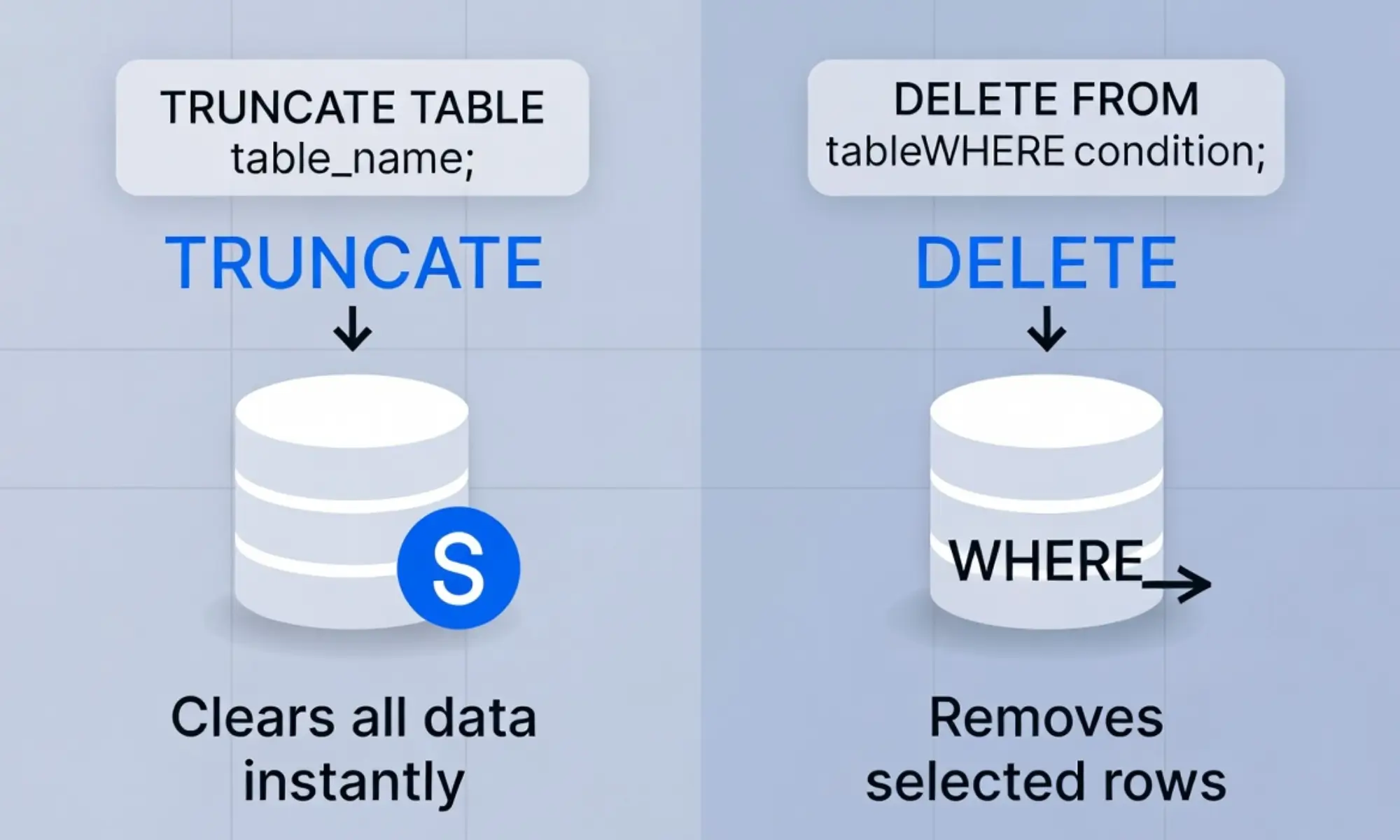
The main difference between truncate and delete is that TRUNCATE removes all rows from a table quickly without logging each row deletion, while DELETE removes rows one by one and allows conditions using a WHERE clause.
Why Knowing Their Difference Is Important
Knowing the difference helps programmers and database administrators manage data safely. In large systems like banking, e-commerce, and government databases, choosing the wrong command can cause data loss or slow performance. Understanding this difference ensures better database efficiency, data safety, and professional database management practices.
Pronunciation
Truncate
- US: /ˈtrʌŋ.keɪt/
- UK: /trʌŋˈkeɪt/
Delete
- US: /dɪˈliːt/
- UK: /dɪˈliːt/
Now that the basics are clear, let us explore the detailed difference between truncate and delete.
Difference Between Truncate and Delete
1. Definition
TRUNCATE removes all records from a table quickly. DELETE removes selected rows or all rows.
Examples (Truncate)
- Clearing all data from a temporary table.
- Resetting a test database table.
Examples (Delete)
- Deleting records where age is below 18.
- Removing inactive users from a database.
2. Speed
TRUNCATE is faster because it removes data in bulk. DELETE is slower because it removes rows one at a time.
Examples (Truncate)
- Clearing a table with millions of rows quickly.
- Resetting a log table instantly.
Examples (Delete)
- Removing a few records matching a condition.
- Cleaning outdated entries gradually.
3. WHERE Clause
TRUNCATE does not support a WHERE clause. DELETE allows conditions.
Examples (Truncate)
- Removing all table records without filtering.
- Clearing staging tables.
Examples (Delete)
- Deleting users from a specific city.
- Removing orders older than five years.
4. Transaction Logging
TRUNCATE uses minimal logging. DELETE logs every row removed.
Examples (Truncate)
- Fast cleanup of large datasets.
- Minimal log storage usage.
Examples (Delete)
- Detailed record tracking.
- Ability to monitor each removed row.
5. Rollback Capability
TRUNCATE usually cannot be rolled back in many systems. DELETE can be rolled back if used within transactions.
Examples (Truncate)
- Once executed, data removal is permanent.
- Used carefully in production databases.
Examples (Delete)
- Mistaken deletion reversed with rollback.
- Safe testing in transactions.
6. Table Structure
TRUNCATE keeps the table structure intact. DELETE also keeps structure but only removes rows.
Examples (Truncate)
- Clearing data while keeping columns.
- Preparing table for new data import.
Examples (Delete)
- Removing unwanted rows but keeping others.
- Editing database records selectively.
7. Identity Reset
TRUNCATE resets auto-increment counters. DELETE usually does not reset them.
Examples (Truncate)
- ID numbers restart from 1.
- Resetting test databases.
Examples (Delete)
- ID numbers continue increasing.
- Removing some records but keeping numbering sequence.
8. Permissions
TRUNCATE often requires higher database permissions. DELETE requires standard permissions.
Examples (Truncate)
- Database administrators performing maintenance.
- System-level cleanup operations.
Examples (Delete)
- Developers removing specific records.
- Application-level data removal.
9. Usage Scenario
TRUNCATE is used for clearing entire tables. DELETE is used for selective removal.
Examples (Truncate)
- Clearing staging tables in data pipelines.
- Resetting development databases.
Examples (Delete)
- Removing a user account.
- Deleting completed tasks.
10. Flexibility
TRUNCATE is simple but limited. DELETE is flexible and powerful.
Examples (Truncate)
- Quick table cleanup.
- Removing temporary data.
Examples (Delete)
- Removing rows based on conditions.
- Editing large datasets carefully.
Nature and Behaviour of Both
Nature of Truncate
TRUNCATE is a powerful and fast command designed for clearing entire tables. It focuses on performance and efficiency rather than detailed row control.
Nature of Delete
DELETE is flexible and precise. It allows developers to remove specific rows and control database operations with conditions.
Why People Are Confused About Their Use
Many beginners think both commands are identical because both remove data from tables. However, their internal processes differ significantly. Truncate focuses on speed and bulk removal, while delete focuses on control and flexibility.
Table: Difference and Similarity
| Feature | TRUNCATE | DELETE |
| Purpose | Remove all rows | Remove selected or all rows |
| Speed | Very fast | Slower |
| WHERE Clause | Not supported | Supported |
| Logging | Minimal | Full logging |
| Similarity | Both remove data from tables |
Which Is Better in What Situation?
When TRUNCATE Is Better
TRUNCATE is better when a developer wants to remove all data from a table quickly. It is commonly used in testing environments or data warehouses where tables need to be reset frequently.
When DELETE Is Better
DELETE is better when only certain records need removal. It is useful when working with production databases where selective control and rollback capability are necessary.
Metaphors and Similes
Truncate
- “Truncate works like clearing a whiteboard instantly.”
- “It removes data like a reset button.”
Delete
- “Delete works like erasing specific lines from a notebook.”
- “It removes information like editing a document carefully.”
Connotative Meaning
Truncate
- Positive: fast and efficient
- Neutral: database operation
- Negative: permanent removal
Example: “The administrator truncated the table to start fresh.”
Delete
- Positive: precise control
- Neutral: data management
- Negative: possible accidental removal
Example: “He deleted unnecessary records carefully.”
Idioms or Proverbs Related to Removal
Examples:
- “Out with the old, in with the new.”
- “Clean slate.”
- “Erase the past and move forward.”
Works in Literature Related to Technology
- Clean Code — Programming — Robert C. Martin — 2008
- The Art of SQL — Technology — Stephane Faroult — 2006
Movies Related to Technology and Data
- The Social Network — 2010 — USA
- Hackers — 1995 — USA
Frequently Asked Questions
1. What is the main difference between truncate and delete?
Truncate removes all rows quickly, while delete removes rows individually and supports conditions.
2. Can truncate be rolled back?
Usually not, depending on the database system.
3. Why is truncate faster?
It removes data in bulk instead of processing rows individually.
4. Can delete remove all rows?
Yes, if no WHERE clause is used.
5. How are both useful in database systems?
They help manage data by removing unnecessary records efficiently.
Conclusion
The difference between truncate and delete is an important concept in database management.
Both commands remove data from tables, but they serve different purposes. Truncate is designed for speed and efficiency when removing all records from a table, while delete offers flexibility and control by allowing specific rows to be removed.
Developers and database administrators must understand the difference between truncate and delete to avoid mistakes and manage data effectively.
By choosing the correct command, professionals can maintain database performance, ensure data accuracy, and handle information responsibly in modern digital systems.